Duty Settings
Overview
When the engine room and engine control room are left unmanned, the engineer may designate a person on duty. Extension alarm panels are installed in the engineer’s room; the system is designed so that, when an alarm is triggered, the panel in the duty engineer’s room also sounds an alert. Previously, the selection of the duty engineer was performed using a switch on the engine control console; however, with SMS-Nexus, the duty engineer can be selected via the OPS screen.
Prerequisites
Before proceeding, ensure the following requirements are met.
-
FCU/FU configuration and the corresponding I/O board configuration have been completed.
-
OPS account have been created.
Procedure
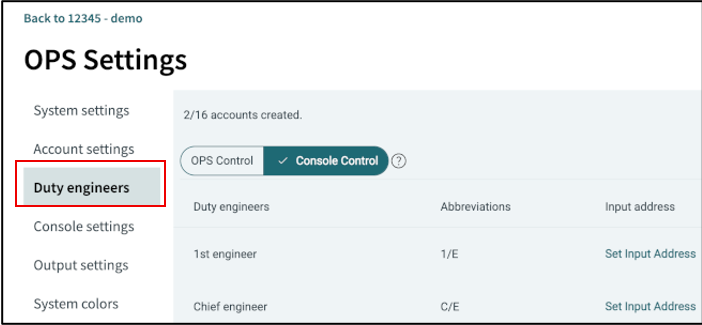
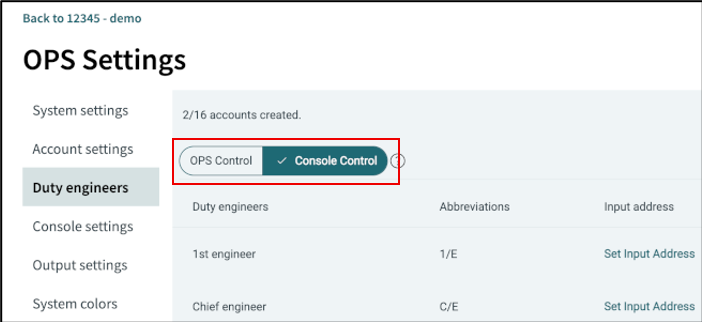
2. Select duty control mode
Select the duty control mode. The duty control mode determines how the duty engineer is selected.
|
|
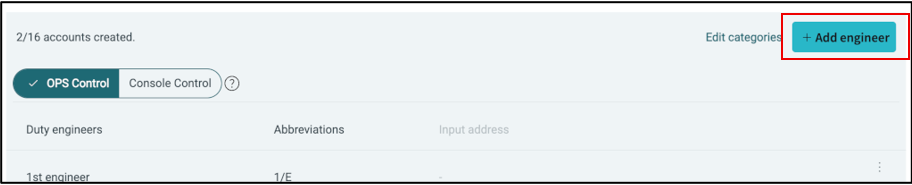
4. Engineer name and abbreviation
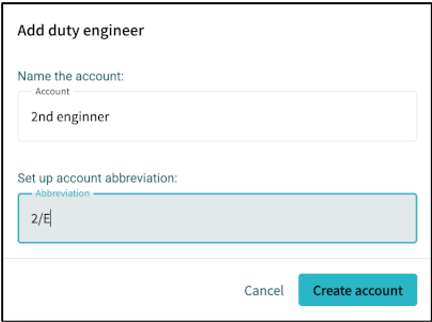
Enter the engineer’s name and abbreviation.
|
Abbreviation is used to display the currently selected Duty Engineer in the OPS top bar. |
5. Engineer selector signal input location (optional)
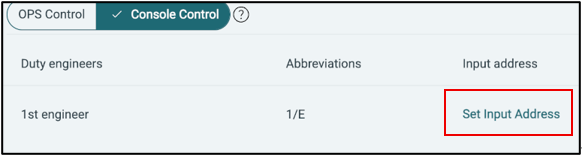
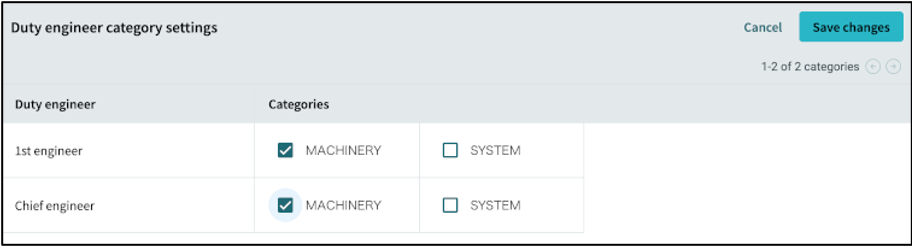
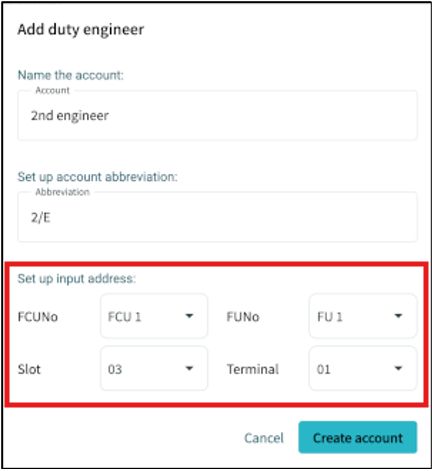
If the duty control mode is set to Console Control, select the input location of the engineer selector signal. The engineer selector signal is used to determine which engineer is on duty.
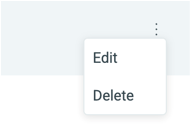
7. Engineer selector signal input location edit (optional)
If you set engineer selector signal input location after creating the engineer, you can edit it at any time by clicking the Set Input Address button next to the engineer’s name.