
Table of Contents
How to start and shutdown the system
How to start the system
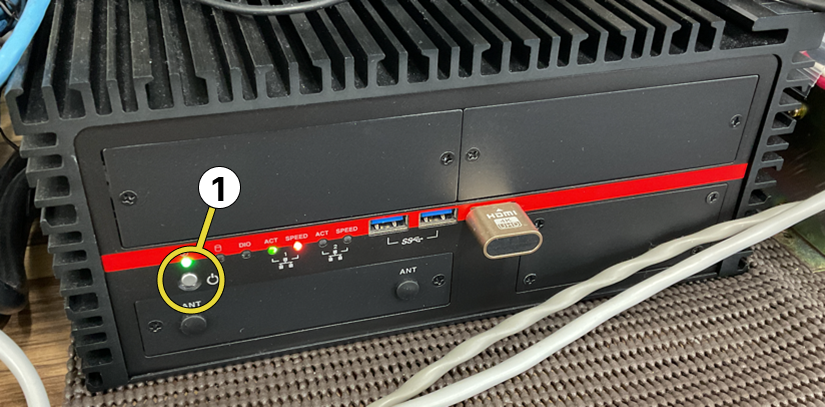
The Edge Server will automatically start when the power is turned on. To turn on the power, press the power button as shown below.
-
An Internet connection is required to start the Edge server. Before starting the system, please make sure that you can connect to the Internet.
Press the power button on the front operation panel shown below.
How to shut down the system
This system is designed to operate continuously and should only be shut down in emergency or other specific situations. However, if you need to shut it down, press and hold the power button until the light on the main unit goes out. The system is now shut down.
-
I don’t see expected data:
-- Confirm the channel exists and has recent samples.
-- Check the global time range and set a wider window.
-- Ask your site admin to confirm data ingestion for the vessel/device.
-
Chart not updating:
-- Refresh the browser and re-open the dashboard.
-
Export failing:
-- Refresh the browser, check internet connection and try again.