M/E Exhaust Gas Settings
Overview
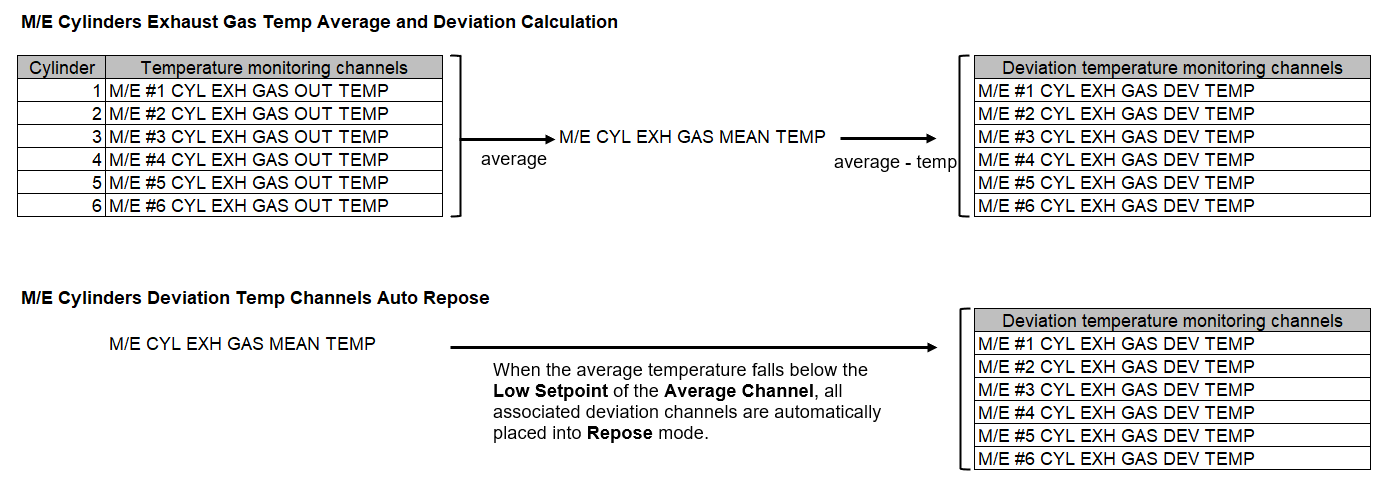
This page is used to configure the associations between the channels that monitor main engine cylinder exhaust gas temperatures, the channel that monitors the average exhaust gas temperature, and the channels that monitor the temperature deviation between the actual temperature and the average temperature. These associations are used to link the corresponding channels for exhaust gas temperature monitoring.
Prerequisites
Before proceeding, ensure the following requirements are met.
-
The channels that monitor main engine cylinder exhaust gas temperatures have been configured.
-
The channel that monitors the average exhaust gas temperature has been configured.
-
The channels that monitors the temperature deviation between the actual temperature and the average temperature has been configured.
Procedure
-
Click
Exhaust gastab in the channel page.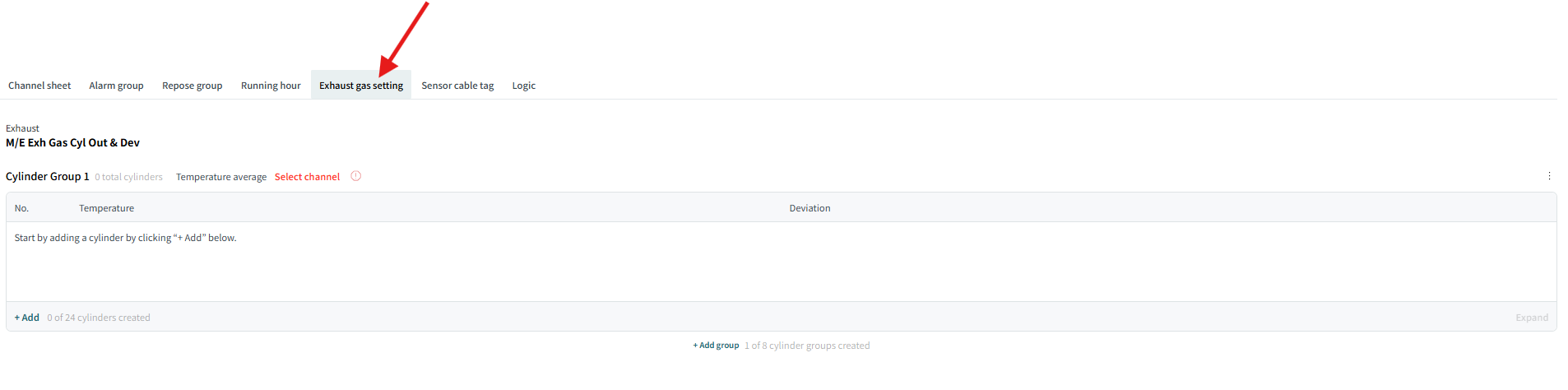
-
Click
Addto start the setting.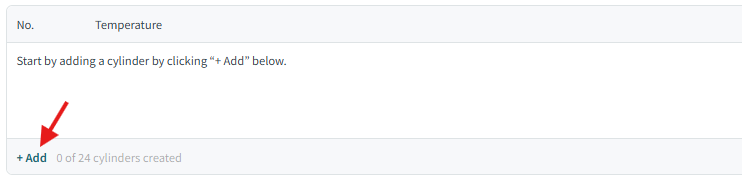
-
Select
Add 1 cylinderorAdd multiple cylinders.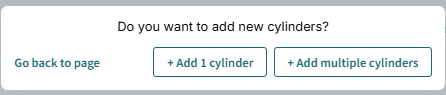
-
(If you selected
Add 1 cylinder) A new cylinder set is added, consisting of one temperature channel and its corresponding temperature deviation monitoring channel.
Select a temperature channel and a temperature deviation channel by clicking
Select channel.
-
(If you selected
Add multiple cylinders) Select temperature channels from the list, and clickSelect.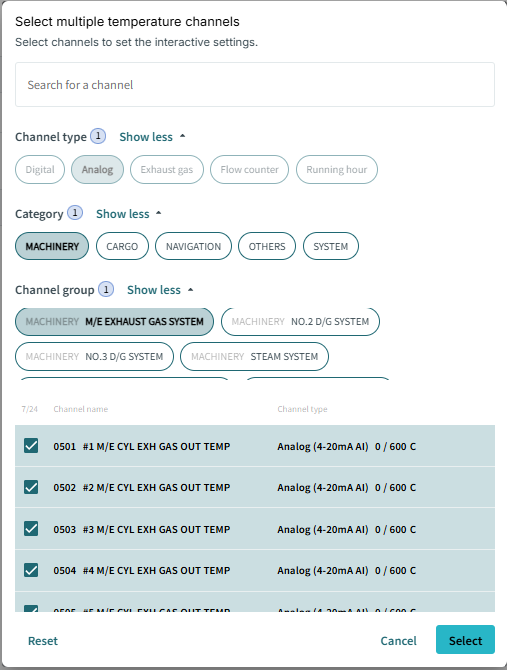
Select temperature deviation channels for each cylinder by clicking
Select channel.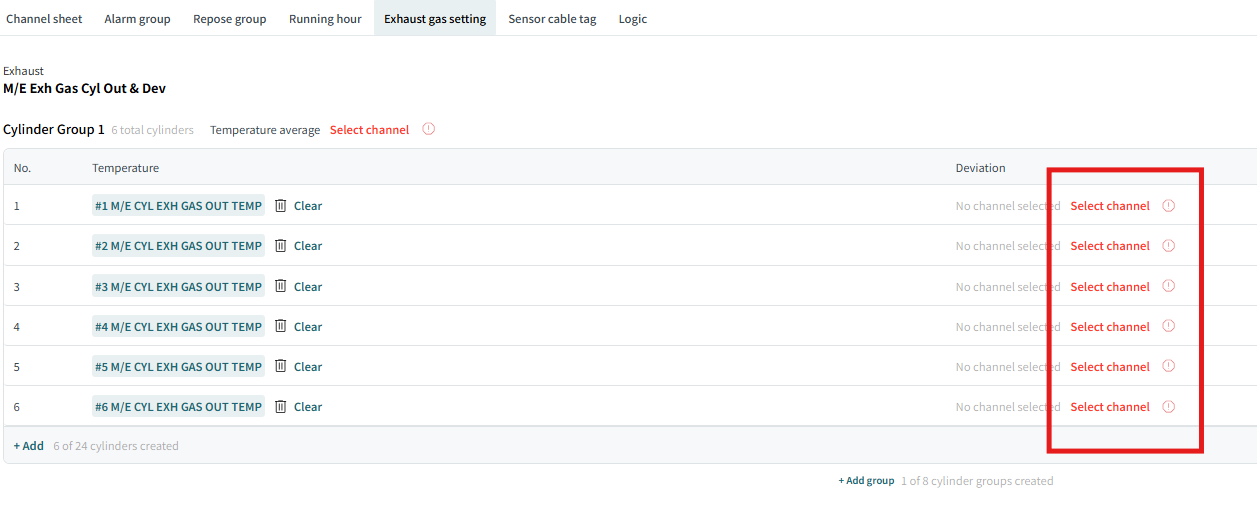
-
-
Click
Select Channelnext to Temperature Average to select temperature average channel.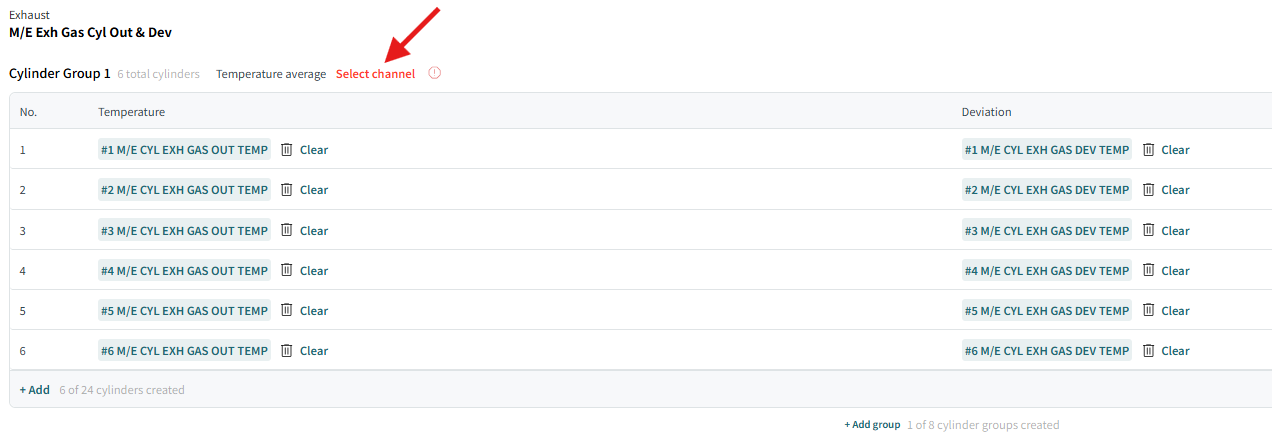
-
Select a temperature average channel for those cylinders, and click
Select.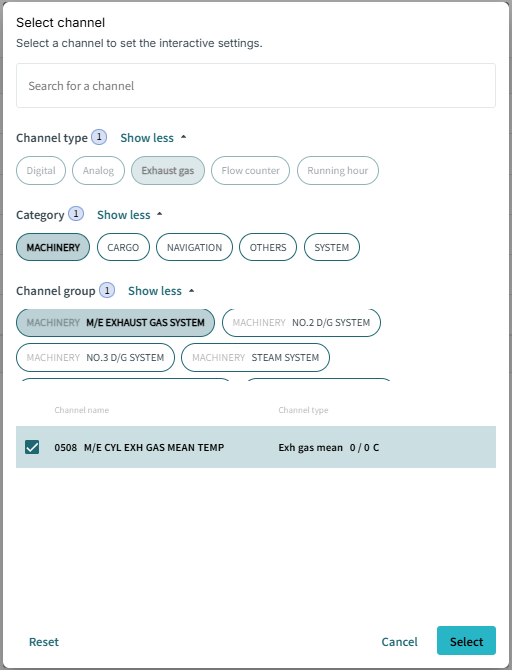
The cylinder set configuration is completed.
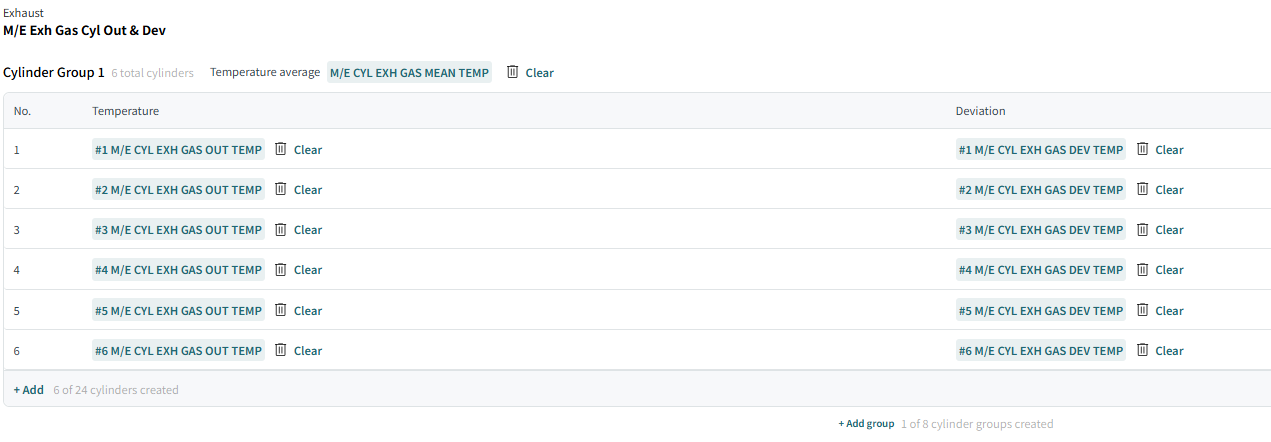
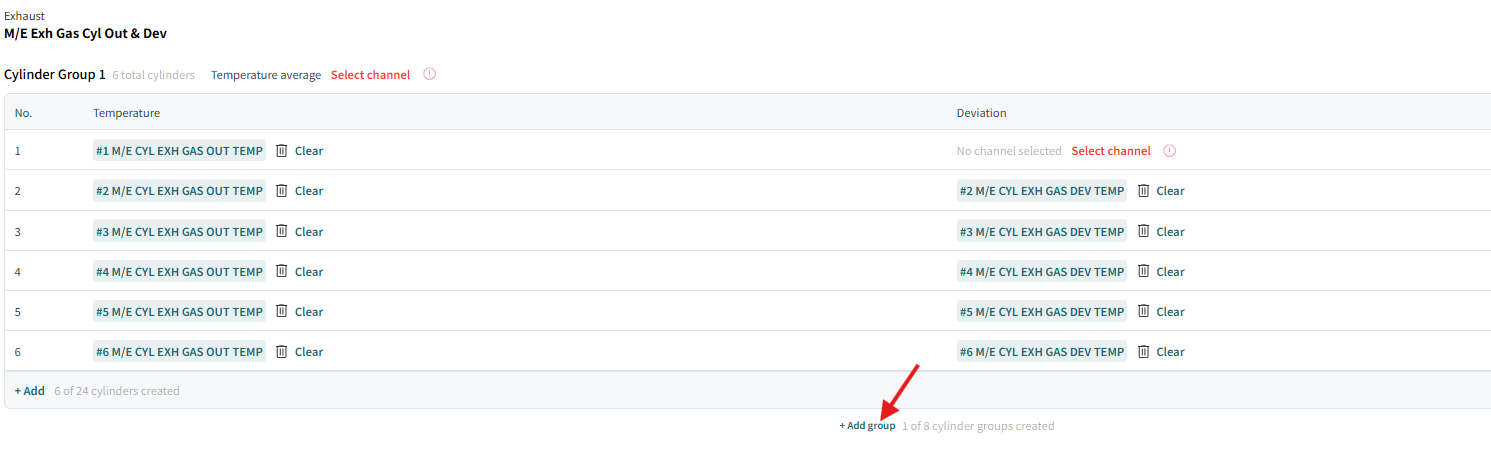
If thera are missing items, they are indicated by red color and icon as below. You must complete them.
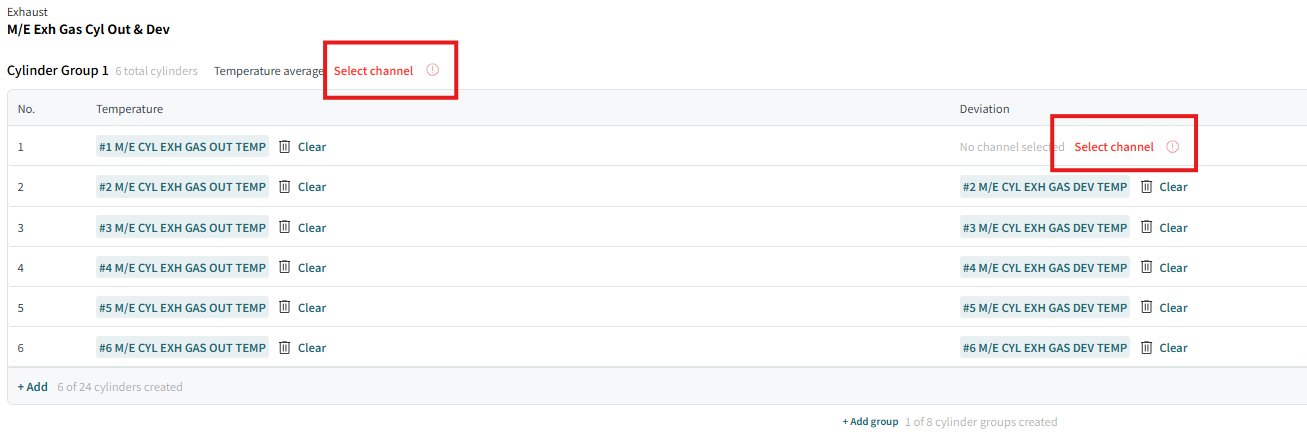
-
If you want to add a cylinder, you can add it by clicking
+ Add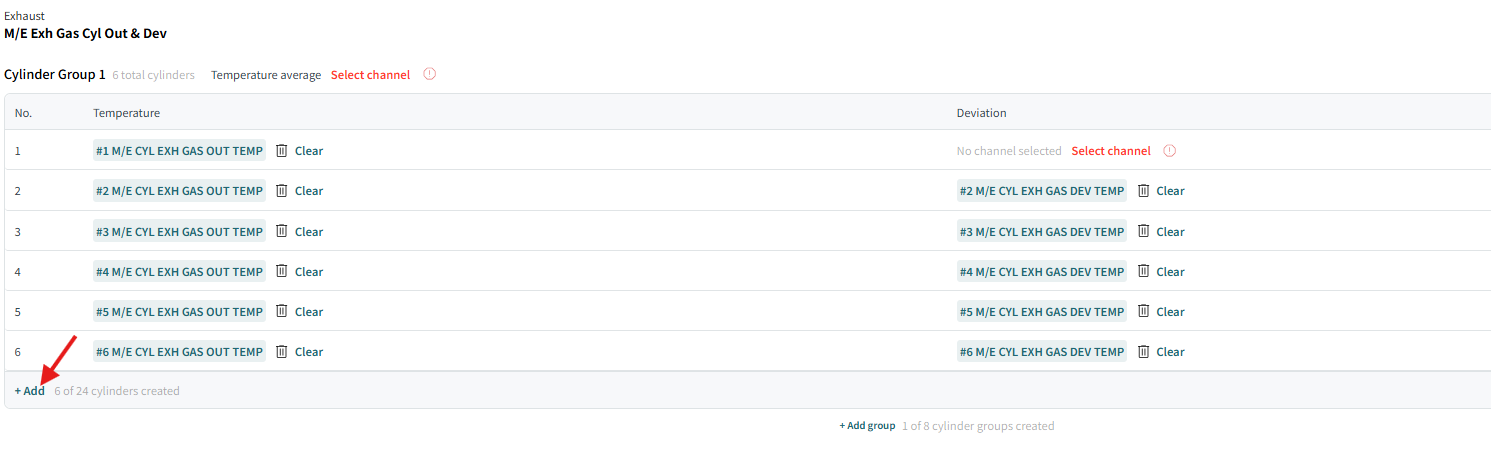
-
If you want to create more cylinder groups, click
+Add groupunder the list, and repeat the previous steps as necessary.