Owner and Guest Users
Overview
In iCreate, two permission levels are defined for editing vessel data: Owner and Guest. This page describes these permission levels and explains how ownership and access rights are managed.
Owner and Guest User
Owner
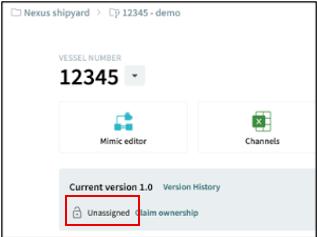
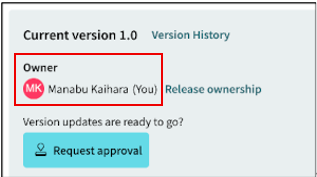
Owner User is a user who has full editing permissions for the vessel data. In general, the Owner User is responsible for editing the vessel data and prevents other users from making changes to the same data simultaneously.
The current Owner User is displayed as shown in the figure below.
Guest
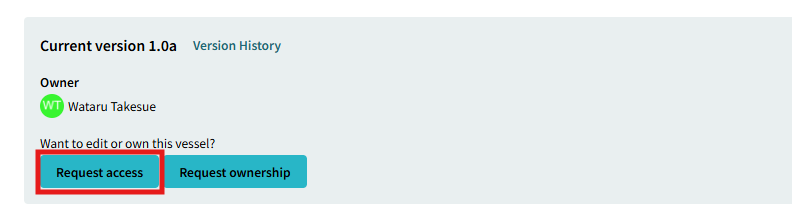
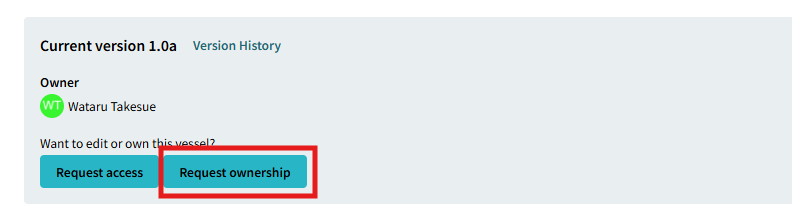
Guest User is a user who has been granted editing permissions by the Owner User. When multiple users need to edit the same vessel data simultaneously, the user who wishes to become a guest can navigate to the vessel page and click Request Access. A request notification is then sent to the Owner User. Once the Owner User accepts the request, the user is added as a Guest User.
How to get ownership privileges
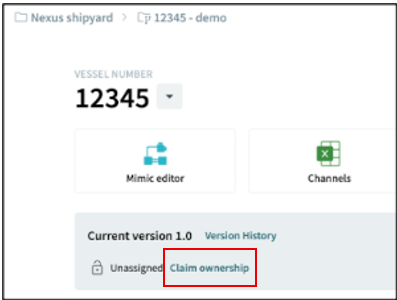
The Ownership can be obtained directly if no one has had ownership, but if someone has already obtained ownership, others cannot claim ownership. In this case, you will need to send an request to the person who has the ownership and obtain approval.
How to release ownership privileges
Ownership can be released in two ways.
The first method is automatic release. Ownership for all vessels is automatically released every day at 00:00 Japan Standard Time (JST). Any registered Guest Users are also removed at the same time.
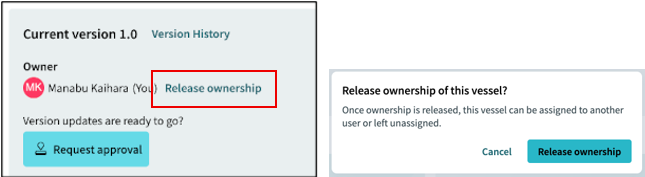
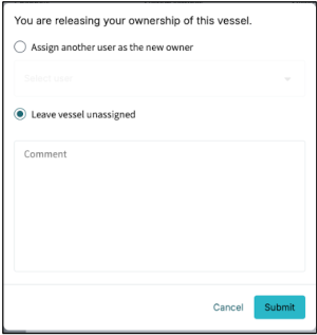
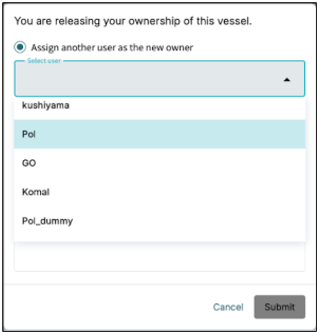
The second method is manual release. By clicking Release Ownership, you can:
-
Transfer ownership to another user.
-
Release ownership without transferring it to another user.
Both options are available from the Release Ownership function.