Alarm Group Settings

Overview

This page is used to create Alarm Groups.

Prerequisites

Before proceeding, ensure the following requirements are met.

  • Category settings have been configured.

Procedure

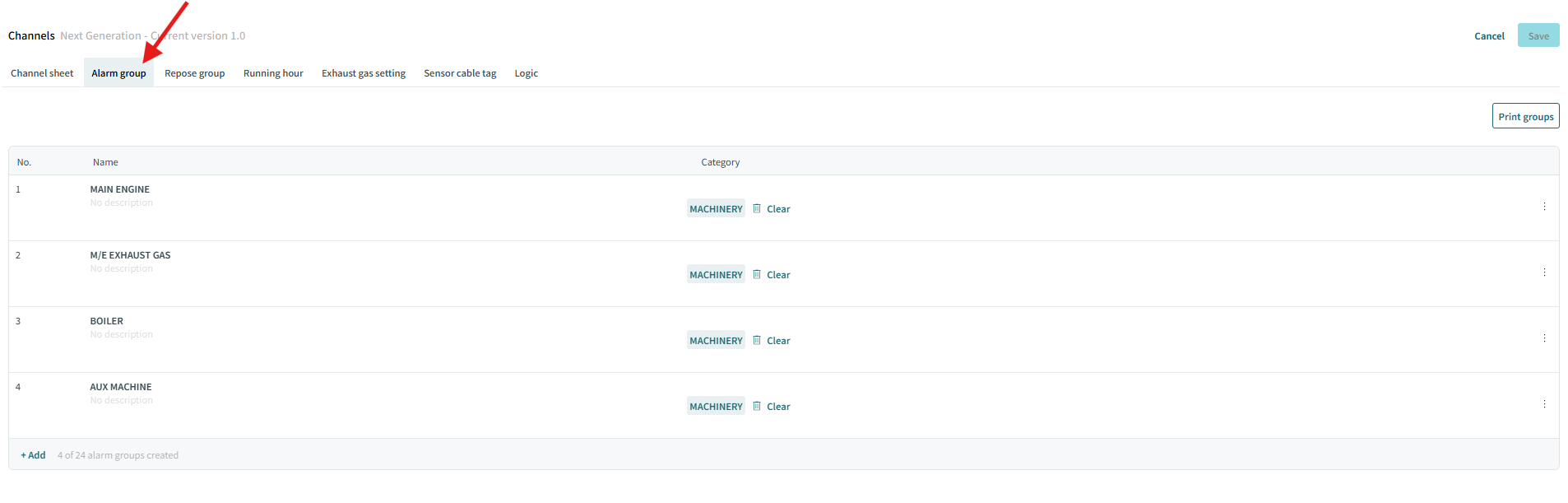
  1. Click Alarm group tab in the channel page.

    click on alarm group tab
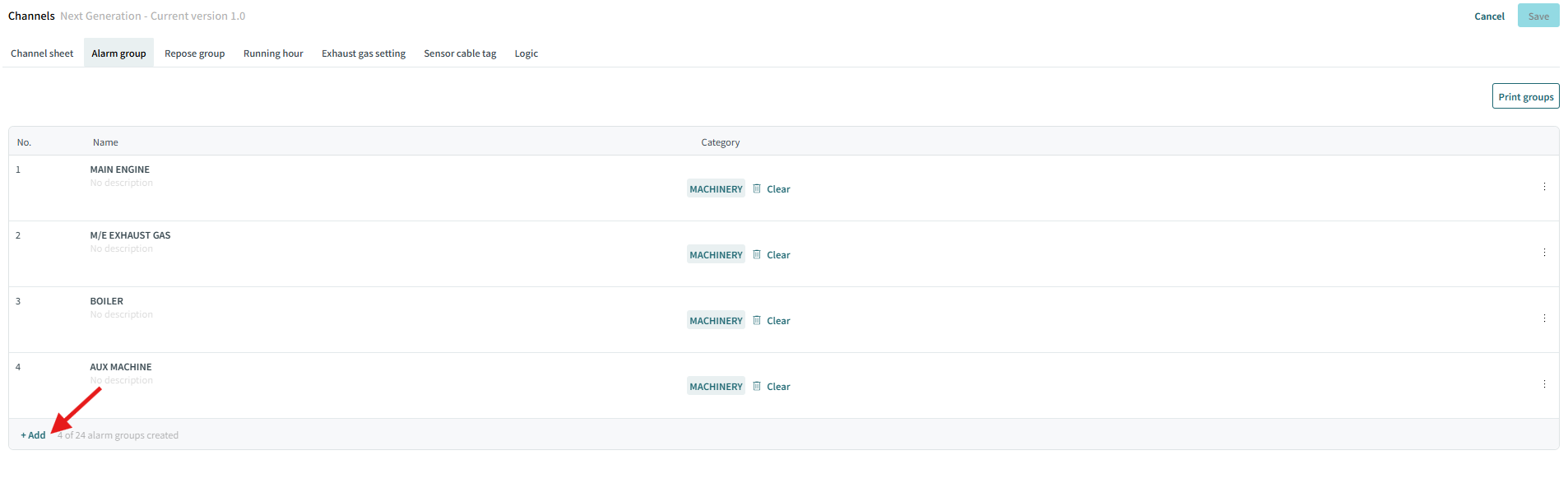
  2. Click Add to create a new Alarm Group.

    click on add
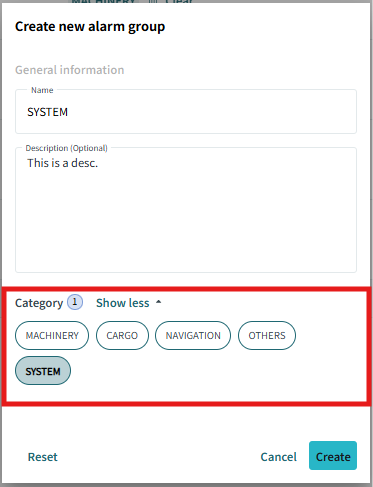
  3. Input the name of the Alarm Group in the Name field. You can also input a description of the Alarm Group.
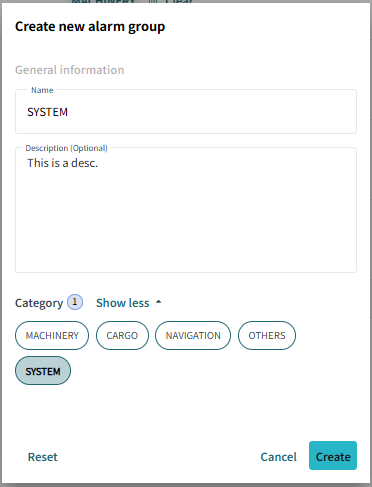
    input name and description
  4. Select categories.

    select categories
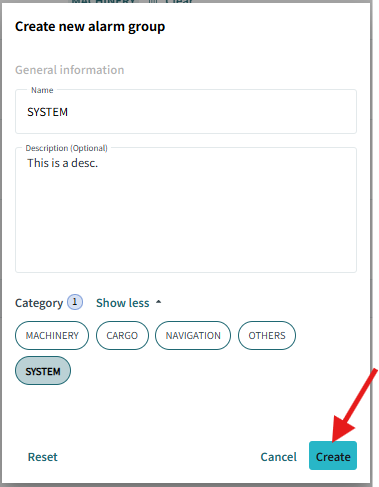
  5. Click Create to create the Alarm Group.

    click on create

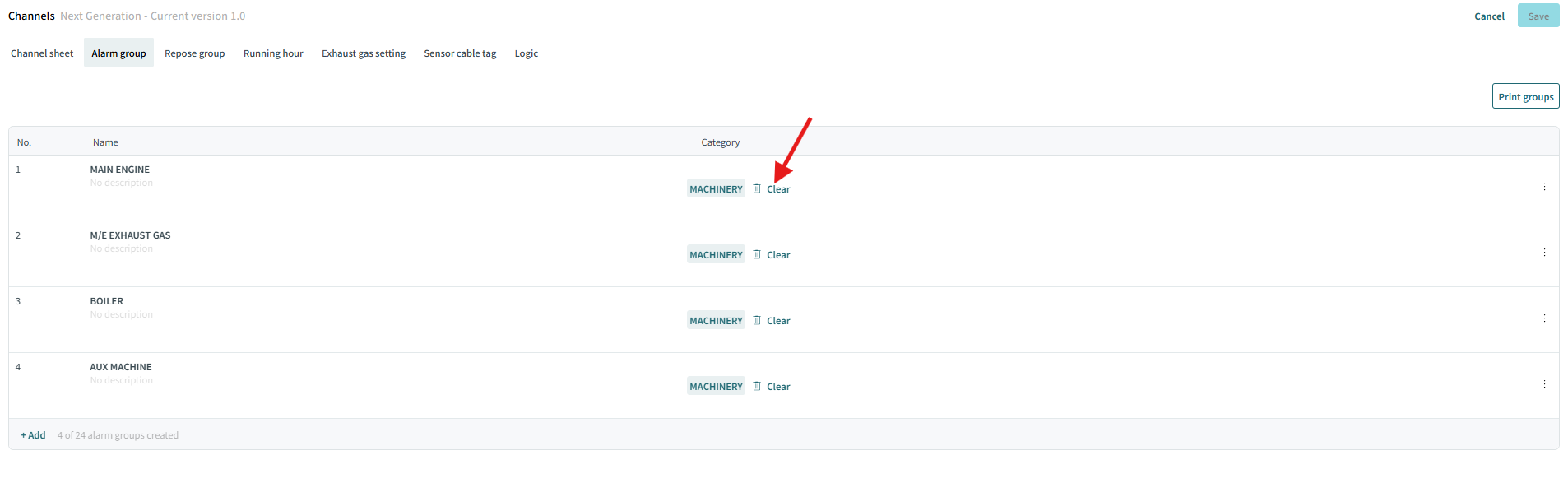
    You can clear category selections by clicking Clear later.

    click on clear

Duplicate or Delete an Alarm Group

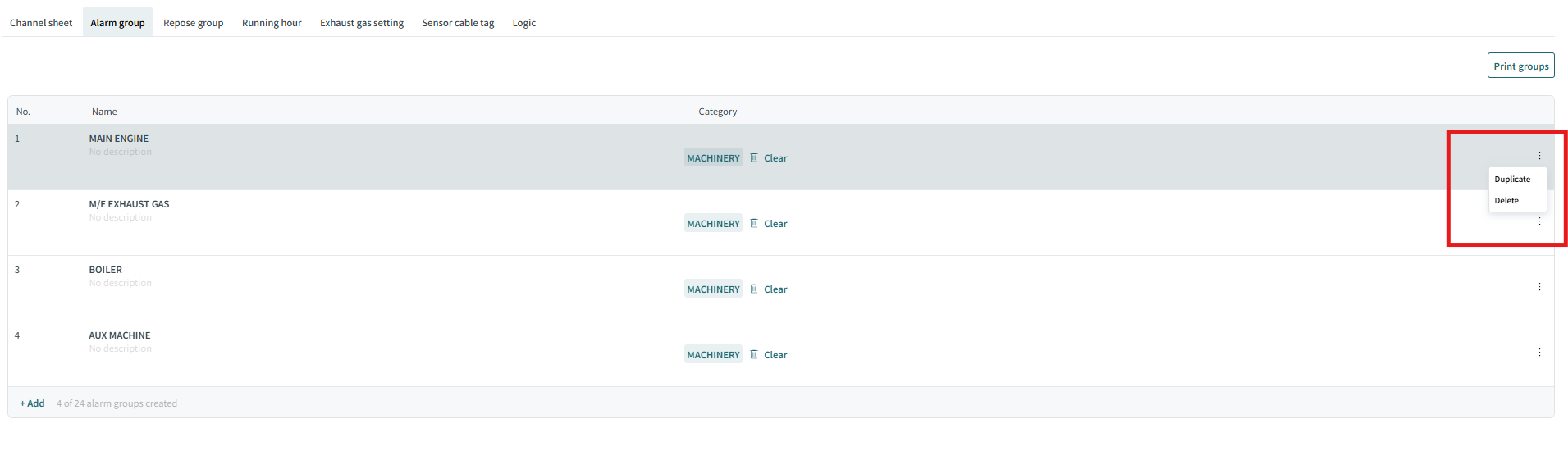
You can duplicate or delete an Alarm Group by clicking the Duplicate or Delete button in the corresponding row.

duplicate delete menu

Print Alarm Group List

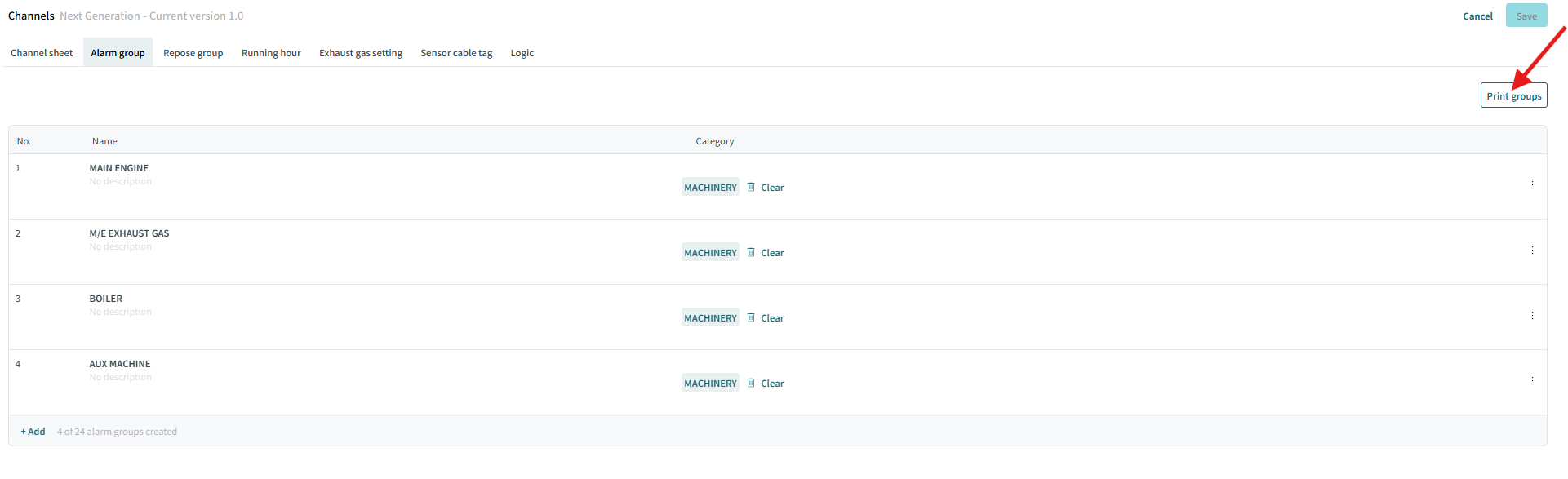
You can print the list of Alarm Groups by clicking the Print groups button.

click on print